Wireframes, Mockups, and Prototypes: What’s the Difference?

May 23, 2026
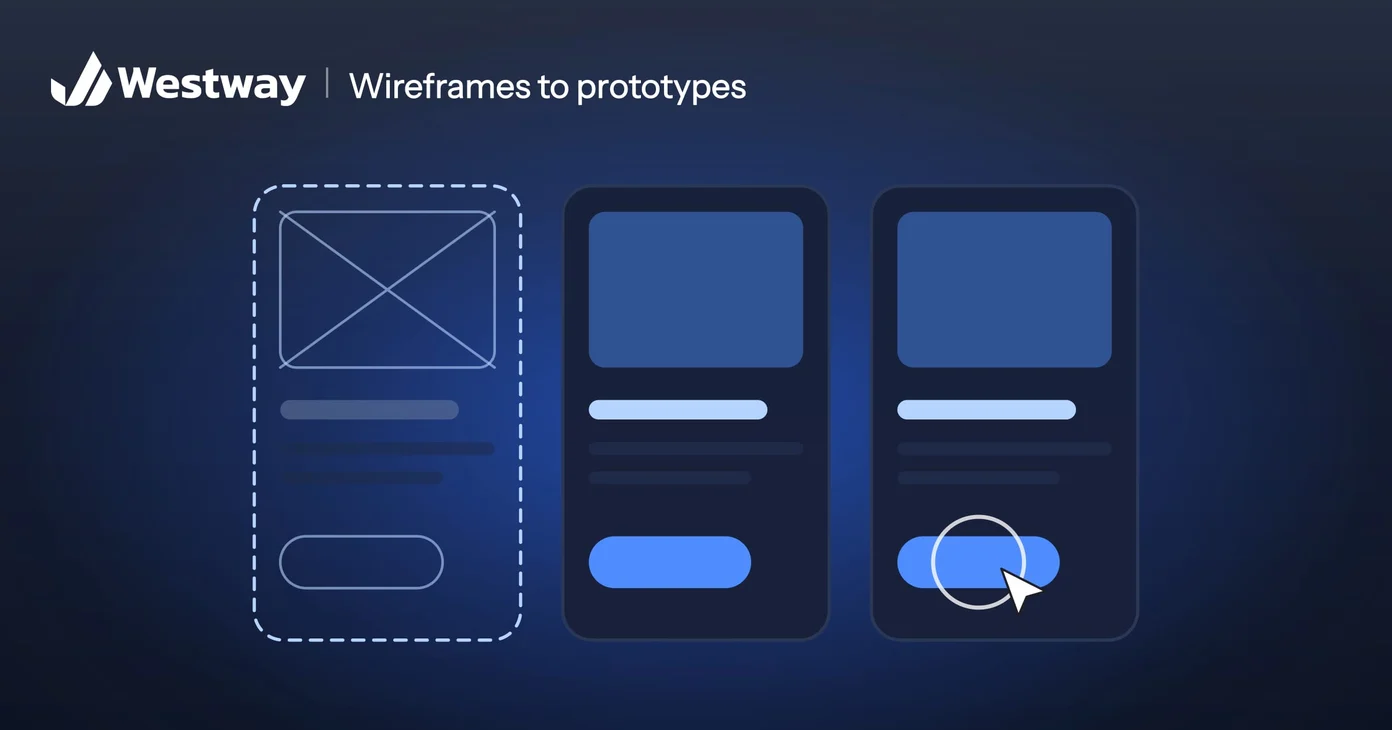
The wireframe vs mockup vs prototype question comes down to detail: a wireframe maps a page’s structure, a mockup shows how it will look, and a prototype lets you click through how it will work. They are three stages of designing a website or app, and people mix them up constantly. Knowing the difference saves confusion and money, because each answers a different question at a different point in the project. This guide explains all three in plain terms.
What is a wireframe?
A wireframe is a rough, black-and-white layout that shows where things go: header here, content there, button below. It deliberately ignores colors and styling so everyone focuses on structure and priority. Think of it as the floor plan of a page. It is fast to make and cheap to change, which is exactly the point at this early stage.
A wireframe usually starts from a creative brief and a list of the pages you need. Expect gray boxes where images will go and placeholder text where the copy will go. Both are deliberate.
What is a mockup?
A mockup adds the visual layer to that structure: real colors, fonts, images, and styling. It shows what the finished page will actually look like, without yet being clickable. If the wireframe is the floor plan, the mockup is the photo of the finished room. It is where the design decisions become concrete, and where most wireframe vs mockup vs prototype confusion starts: a polished mockup looks finished, even though nothing on it works yet.
Ask for mockups with real content wherever you can. A real headline is often longer than the placeholder it replaces, and it is better to discover that now than after the page is built.
What is a prototype?
A prototype makes the design interactive. You can click through it and feel how the real thing will behave, even though no code sits behind it. Prototypes are how teams test whether something is actually usable before building it, catching problems while they are still cheap to fix.
Most prototypes are made in the same design tool as the mockups, with screens linked so that tapping a button opens the next one. The most useful thing to do with one is watch a few real people try to complete a task, the same technique a UX audit uses on a live site.
Why do wireframes come before mockups and prototypes?
Wireframes come first because each stage adds detail and cost, so settling the structure early keeps expensive changes on paper rather than in code. Skipping straight to a polished design often means redoing work when a structural problem surfaces late. The sequence exists to save you money. The Nielsen Norman Group puts the cost plainly: throwing away code is expensive, while throwing away a prototype, especially a paper one, is not.
A simple example: moving a pricing table to a different page is a quick edit in a wireframe. Once the page is built, the same change touches the design and the code, and then everything needs testing again. That is the practical point of wireframe vs mockup vs prototype: each stage is cheaper to change than the one after it.
Wireframe vs mockup vs prototype: which does your project need?
Most projects use all three, but how much effort each one deserves depends on what you are building:
- A small site on a proven template. Wireframe the key pages, then go straight to mockups. A prototype adds little when the interactions are standard.
- A redesign of an existing site. Wireframes matter most, because that is where you fix the structure that is failing today.
- A booking flow or an app. Prototype it. Anything with several steps or a login is where people get stuck, and testing a clickable version costs far less than fixing a live one.
So the wireframe vs mockup vs prototype decision is really about where your risk sits.
How should you give feedback at each stage?
The wireframe vs mockup vs prototype difference matters most when you review the work. Each stage answers a different question, so the most useful feedback sticks to that question and saves the rest for later:
- Wireframe: Is everything a visitor needs on the page, in the right order? Ignore the gray; color comes later.
- Mockup: Does it look like your business, and is the text easy to read on a phone? Check it at real size.
- Prototype: Can someone complete the main task without help? Watch them, and resist explaining.
Feedback that jumps ahead, such as debating button colors on a wireframe, slows the project without improving it.
Frequently asked questions
Do I need all three?
Not always. Small projects may skip steps, but each stage catches different problems early. If you skip one on a simple site, skip the prototype, never the wireframe.
Which comes first?
The wireframe, then the mockup, then the prototype, with each one more refined than the last.
Is a prototype the finished product?
No. It looks and feels real but has no working code behind it. Developers use it as a reference for what to build.
Who creates these?
A designer, usually, with your feedback at each stage.
Is there a simple way to remember wireframe vs mockup vs prototype?
Think of a house. The wireframe is the floor plan, the mockup is the photo of the finished room, and the prototype is the walk-through.
Design it right from the start
Knowing the wireframe vs mockup vs prototype difference helps you give better feedback and avoid costly rework. On your next project, ask which stage you are reviewing before you comment. Our design team uses each stage to get your project right before a line of code is written.
