Headless CMS, Explained for Business Owners

May 2, 2026
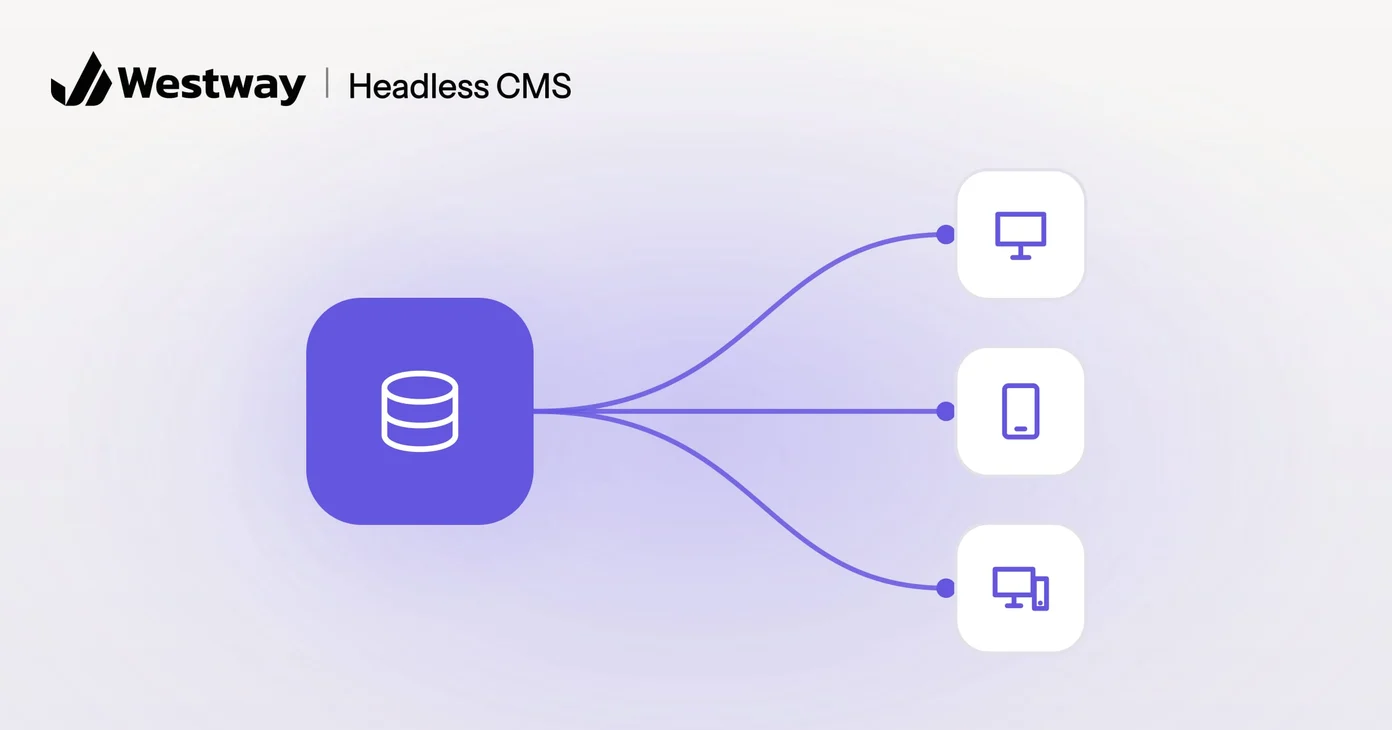
A headless CMS is a content management system that stores your content separately from how it is displayed, so the same content can feed a website, an app, or any other screen. For most small business websites it is more power than you need, but for some it solves real problems. This guide explains it in plain terms and covers the questions to ask before you commit to one.
How is a headless CMS different from a traditional CMS?
A traditional CMS manages your content and your design together, while a headless CMS manages only the content. In a system like standard WordPress, the same software stores your pages and displays them through a theme. A headless CMS splits the two: it handles the content and hands it off to a separate front end (the part visitors see) built by developers. The “head” (the display layer) is removed, which is where the name comes from.
The hand-off happens through an API, a standard way for one piece of software to ask another for data. Our guide to website API integrations explains APIs in more detail. In practice, your content becomes raw material: your website can request it, and so can an app.
What are the benefits of a headless CMS?
The benefits show up at a certain scale and complexity, mostly when one body of content has to serve several places:
- Many channels. If your content must appear in several places, such as a website and a mobile app, one source feeding all of them is efficient.
- Speed and flexibility. A custom front end can be very fast and built exactly to spec.
- Developer control. Teams can use modern tools without being tied to one platform’s templates.
You can even run WordPress as a headless CMS using its built-in API, keeping a familiar editor while developers build the front end separately.
What are the downsides of a headless CMS?
The main downside is that a headless setup needs developers, both to build it and to change it. There is no ready-made theme to install. Some headless products offer visual editing with a live preview, such as Storyblok’s Visual Editor and Sanity’s Visual Editing, but developers have to connect it to the front end first, and new layouts usually still require a developer. For a single marketing website, that overhead rarely pays off. The simpler all-in-one approach is often the better, cheaper choice.
There are quieter costs too. Features that a plugin adds to a traditional site, such as forms or SEO settings, have to be built or connected on the front end. You also run two systems instead of one, and both need hosting and updates.
What does a headless CMS cost to run?
A headless CMS usually costs more to run than an all-in-one site, because you pay for two pieces and the developer time that joins them. Budget for three parts:
- The CMS itself. Hosted headless products typically charge a subscription that rises with users or usage. Open-source ones are free to license but need hosting and upkeep.
- The front end. A custom build, which is usually the largest one-off cost.
- Ongoing changes. New page layouts and features mean developer time rather than a settings change.
Ask for an estimate that covers running costs over several years, not only the build, and compare it with the same estimate for a traditional site. That comparison settles most decisions.
Does your business need a headless CMS?
Most small businesses do not. If you publish to multiple platforms or expect heavy traffic, a headless setup may fit, especially if you already have a development team. If you run one standard website and want to edit it yourself, a traditional setup will serve you better and cost less. Our comparison of WordPress and a custom website covers that more common decision.
What should you ask before going headless?
Put these questions to whoever is proposing the build:
- Where does this content need to appear now, and where will it need to appear next?
- Who will edit it, and can they preview a page before it goes live?
- Who maintains the front end after launch, and what does a new page layout cost?
- If the developer who built it leaves, can someone else pick it up?
If the answers point to one website edited by non-technical staff, the traditional route is the safer bet.
Frequently asked questions
Is a headless CMS better than WordPress?
Neither is better in general. Standard WordPress is simpler; a headless setup trades simplicity for flexibility. WordPress can also run headless, so the real choice is about architecture rather than brand.
Is it more expensive?
Usually, because it needs developer time to build and maintain the front end, and you are running two systems instead of one.
Can I edit content myself?
Yes, the editing experience can stay friendly. The display side is what needs developers. Ask to see how previews work before you commit, because that is where editors notice the difference.
Is a headless CMS good for SEO?
It can be. Search engines judge the pages they receive, not the system behind them. A headless site can be fast and well structured, but basics such as page titles and sitemaps have to be built in deliberately instead of added with a plugin.
Who should consider one?
Businesses publishing across many channels or with specific performance needs, ideally with developers they can rely on for the long term.
Not sure which fits?
Choosing between a headless CMS and a traditional setup comes down to how many places your content needs to live. If the answer is one website, start with the simpler option and revisit the question when a second channel becomes real. Our Development & Engineering team can match the right architecture to your goals and budget.
